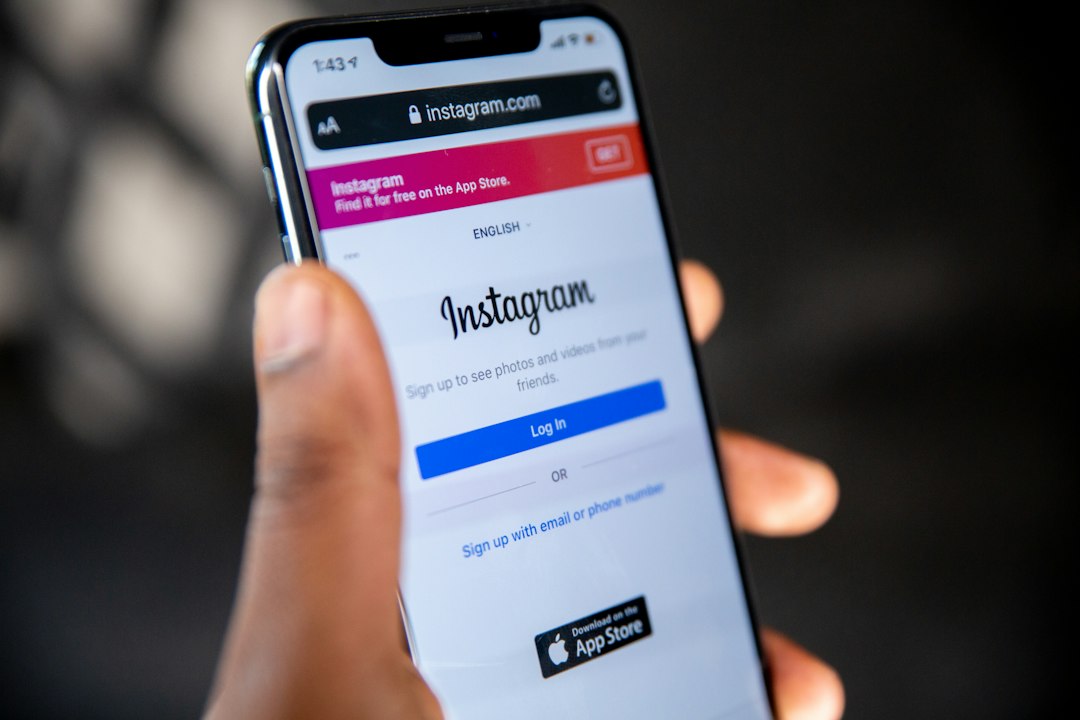
Your booking details are buried in Instagram DMs and you have no backup. A client messaged you three weeks ago about a bounce house delivery. The address is in there somewhere. So is the deposit date. If your phone breaks or the app glitches, that booking disappears with it. Knowing how to export Instagram messages is the first step to protecting your business, but the official method has real limits you need to understand before you rely on it.
Key Takeaways
- Instagram's official data download tool exports all direct messages as a JSON or HTML file, but requests can take hours or even days to process.
- Manual copy and paste works for a single conversation but becomes unworkable once you are managing more than a handful of active bookings.
- Exported files are not searchable by client name, event date, or booking status, so you still have to read through everything manually.
- Screenshotting a conversation is fast but produces an image, not a usable record you can sort, filter, or act on later.
- Party rental and tool rental operators need structured booking details, not raw chat archives, which is why extraction tools now beat both export methods for daily use.
How to Export Instagram Messages the Official Way
Instagram allows every user to request a complete copy of their account data, including direct messages. This is done through the app's settings, not through a third-party tool, and it is the only method Meta officially supports. The process exists mainly for privacy compliance, not for business recordkeeping, which matters once you see how the file actually looks.
To start, go to your profile, tap the menu icon, and select Your Activity. From there, choose Download Your Information, select the account you want data from, and pick Messages as the category. You can choose between JSON format, which is built for developers and software, or HTML format, which is more readable in a browser. Meta's own support page walks through this flow in detail at Instagram's Download Your Information help page.
What You Actually Get
Once you submit the request, Instagram does not hand you a file instantly. The export can take anywhere from a few hours to several days depending on account size and current server load. You will get a notification and an email when it is ready, and the download link typically expires after a short window, so you need to grab it promptly.
When it arrives, you are looking at a single large file, or a set of files, containing every conversation on your account. There is no folder structure by client. There is no way to filter by date range inside the file itself. If you run a party rental business with two years of Instagram DM history, you will be scrolling through a dense wall of timestamps and message bodies to find the one booking you actually need.
Manual Copy and Paste: Fine for One Conversation, Bad for a Business
If you only need to save a single conversation right now, manual copying is the fastest path. Open the DM thread, highlight the text, and paste it into a notes app or document. This takes two minutes and requires no waiting period, no file format to decode, and no app permissions beyond what you already have.
The problem shows up at volume. A solo tool rental operator fielding ten to twenty inquiries a week on Instagram and Facebook Marketplace cannot manually copy every thread without it becoming a part-time job. Copy and paste also captures the conversation exactly as written, meaning you still have to read through casual chat to extract the actual booking facts: the date, the item, the price, the address, and the deposit status.
Where Manual Copying Breaks Down
Consider a typical exchange. A customer asks about a pressure washer, you quote a price, they ask about delivery, you confirm a Saturday pickup, and they send their address in a follow-up message twenty replies later. Copying that thread gives you the full conversation, but not a clean record. You still have to manually pull out the five facts that matter for your schedule.
Do this across fifteen active conversations in a single week and the time cost adds up fast. Operators managing bookings through Instagram and Facebook Marketplace often find that copy and paste works for emergencies but fails as a system. It is a stopgap, not a process.
Why Exported Files Are Not Organized By Client or Booking
This is the core issue with both the official export and manual copying. Instagram was built for conversation, not for business operations. Its data export reflects that. The JSON file is structured for machines to parse, not for a human running a rental business to scan quickly. The HTML version is more readable but still presents messages in strict chronological order, with no tagging for client name, booking date, deposit amount, or delivery address.
If you search the exported file for a customer's first name, you might get matches across several unrelated conversations if the name is common. There is no booking status field. There is no way to see, at a glance, which conversations represent confirmed jobs versus abandoned inquiries. You are left doing the organizational work that the export should have done for you.
What Service Operators Actually Need
Party rental and tool rental operators do not need a chat archive. They need a booking record. That means a client name, a contact method, an event or rental date, an item or package, a price, a deposit status, and a delivery address, all pulled out of the conversation and placed somewhere structured. Knowing how to export Instagram messages gets you the raw material, but it does not give you the finished product.
A bounce house business owner does not care that a customer said "hey!" before asking about availability. They care about the Saturday date, the backyard address, and whether the fifty dollar deposit cleared. The export contains that information somewhere in the text, but it takes real effort to surface it.
Screenshotting Is Faster but Creates No Usable Record
Many solo operators skip exporting entirely and just screenshot the parts of a conversation that matter. It is quick, it requires no settings menu, and it captures exactly what you need to see in the moment. For a single booking confirmation, this works fine as a temporary reminder.
The weakness is permanence and structure. A camera roll full of screenshots is not searchable by client name or date. It does not sync with a calendar. It does not tell you, three weeks from now, which bookings are confirmed and which are still pending a deposit. Screenshots solve the problem of the moment but create a new problem: a scattered archive with no system behind it.
The Hidden Cost of Screenshot Recordkeeping
Operators who rely on screenshots often discover the gap during a busy weekend. Two bookings land on the same delivery slot because nobody cross-checked the screenshots against an actual schedule. The information existed. It just was not organized in a place where a quick check could catch the conflict. That is the real cost: not losing the data, but losing the ability to act on it quickly.
A screenshot also cannot be edited or updated. If a customer changes their delivery time in a later message, you now have two screenshots telling two different stories, with no clear indicator of which one is current. This is manageable at low volume and genuinely risky once you are running multiple bookings a week.
A Faster Way to Pull Booking Details From Instagram DMs
The official export and manual copying both treat the problem as a data retrieval task. The real task for a rental operator is extraction: pulling the five or six facts that matter out of a long, casual conversation and turning them into a usable booking entry. That is a different job, and it does not require hours of scrolling through a JSON file.
This is the gap that tools built specifically for service businesses are designed to close. Instead of exporting an entire message history and reading through it manually, you paste a single conversation thread and get back a structured booking: client name, date, item, price, deposit status, and address, organized and ready to drop into your schedule. What takes an official export hours or days to even produce, and then hours more to manually comb through, takes seconds with the right extraction tool.
Why This Matters for Solo Operators
Solo party rental and tool rental operators are often running the entire business alone: fielding inquiries, confirming bookings, loading the truck, and showing up on site. Time spent decoding an exported chat file is time not spent on the actual job. The value of structured extraction is not just speed. It is the removal of a task that was never part of running a rental business in the first place.
Operators who switch from manual copying or screenshotting to structured extraction typically describe the same shift: bookings stop living in scattered threads and start living in one place they can actually trust. That shift is what separates a side hustle that stays small from one that can scale past a dozen bookings a week without chaos.
Conclusion: Stop Reading Chat Logs, Start Managing Bookings
Knowing how to export Instagram messages is useful as a backup plan, but it was never designed to run a rental business. The official export is slow and unstructured. Manual copying does not scale. Screenshots create clutter instead of a system. What every solo operator actually needs is the booking information itself, pulled cleanly out of the conversation and ready to act on.
If you are tired of digging through DMs to find an address or a deposit date, there is a faster path. Start extracting bookings free with Draftrow and turn your Instagram conversations into organized, searchable booking records in seconds, not hours.